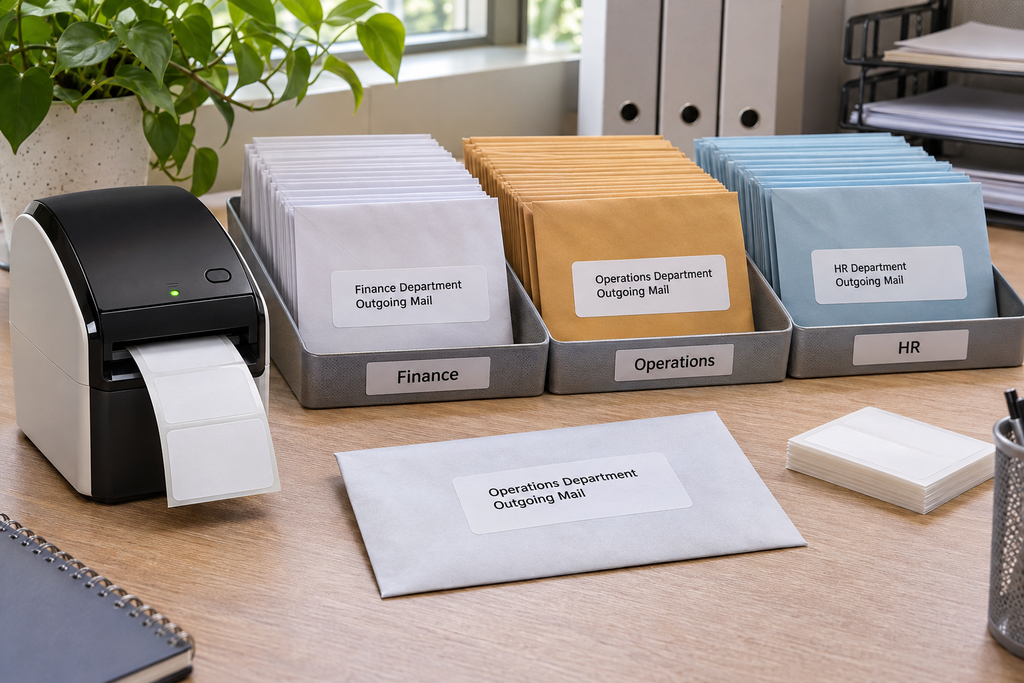
When several departments share one outgoing-mail station, the label should help staff identify the right destination and return path without adding confusing internal marks to the address. DK-1208 is a die-cut address label about 1.4 by 3.5 inches. Its extra height can accommodate a clearly formatted recipient address plus a small department reference, but it is not a replacement for a carrier-issued shipping label. The best process starts with clean records, a shared layout, and one controlled rule for each department.
Separate postal information from internal routing
Decide which details a postal worker needs and which details your own team needs. The recipient name, deliverable address, and postal code belong in the main address block. A department code, campaign name, or cost center can be useful internally, but it should not compete with the destination. Keep internal references short and place them consistently, perhaps on a restrained final line if space allows. If the reference is only used before mailing, consider putting it on a packing list or tray marker instead of the envelope.
Avoid printing two different addresses at equal prominence on the same label. The recipient block should be unmistakable. A return address usually belongs in its normal position on the envelope, not squeezed into the destination label. If a department has a special return location, manage that as a separate approved origin template. Staff should not type the return address from memory at the print station.
Define the department data rules
Create fields for recipient, organization, street, unit, city, region, postal code, country, and internal department code. Give each field a purpose. If an optional organization line is empty, the template should close the gap rather than leaving a blank line. If a department code is missing, decide whether the record can print or must be reviewed. Silent omissions can make reconciliation difficult after a large mailing.
Use one source file or system of record when possible. Multiple spreadsheets maintained by different departments often contain inconsistent abbreviations and outdated contacts. Before a batch, remove duplicate records and flag incomplete addresses. Correct errors in the source, not only on the printed label, so the next mailing does not repeat them. If teams must submit separate lists, give them the same column structure and validation rules.
Build a readable DK 1208 template
Design at the actual label size rather than a letter-size page preview. Start with the longest legitimate address and set a readable type size. Allow intentional line breaks for address fields, but do not let the printer software split a postal code from its locality. Leave a comfortable margin around the die-cut edge. A label that looks balanced with a short name can become crowded when a company name, unit number, and international line are present.
Print a small test group from every department. Include the longest address, a record with no organization, a record with an apartment, and any international destination you routinely send. Check the physical labels for clipping and ambiguous line breaks. If one department’s valid records consistently overflow, route that group to a larger format rather than shrinking every department’s text. A shared template can have documented exceptions without forcing all mail into the smallest common layout.
Keep trays and labels aligned
The physical mail sort should match the data sort. Print one department at a time or use a clear batch identifier in the workstation workflow. Put finished envelopes into labeled trays immediately. Do not leave unlabeled piles on a shared table. If a job stops mid-batch, record the last accepted source row and reconcile the remaining records before restarting. This prevents skipped or duplicated mailpieces.
A department reference on the address label can help with internal billing or response handling, but it should be verified against the tray. A label that says one code while the envelope sits in another department’s tray is a warning that the process is out of sync. Make the tray marker and digital batch name use the same code. A supervisor can then spot a mismatch before the mail leaves the building.
Check the final envelope
Apply a sample label to the actual filled envelope, not only a flat blank. Confirm that it does not cover a window, postage area, preprinted return address, or fold. The larger DK-1208 height may improve legibility yet occupy more of a small envelope. The whole mailpiece has to remain clear. If the envelope bulges, check that the label lies flat and that no corner lifts after handling. Avoid placing it across a seam where the envelope flexes.
If a parcel also requires a carrier tracking barcode, use the carrier’s approved label format. A DK-1208 address label can supplement internal handling where appropriate, but shrinking a 4 by 6-inch carrier design onto it may damage barcode scale and omit required marks. Keep the destination address and official tracking process distinct.
Handle reprints without losing accountability
Mailing stations inevitably encounter a jam, a damaged envelope, or a corrected address. Give staff a simple reprint rule: identify the source record, void the unusable label, correct the underlying data if needed, and print exactly one replacement. Keep the rejected piece separate until the batch is reconciled. If a job stops partway through, do not restart from the beginning without checking which records already have accepted labels. This is especially important when departments submit overlapping lists, because a recipient may appear twice for legitimate reasons or because the files were merged incorrectly. At the end of the run, compare the number of accepted envelopes with the number of approved records by department. A label layout helps sort the mail, but a count and a documented reprint process prevent missing and duplicate sends.
Measure whether the system helps
For a trial mailing, count rejected labels, manual address corrections, envelopes placed in the wrong tray, and time spent reconciling batches. Ask staff whether the department code helps them act or merely adds clutter. If sorting errors fall but label overflow rises, revise the exception process. If the error rate remains high, the issue may be source data or tray handling rather than the label size. The DK-1208 address labels product page provides the compatible format; compare other direct thermal labels if your longest addresses or envelope sizes require a different option. A useful mail label makes the destination obvious and keeps internal routing controlled.