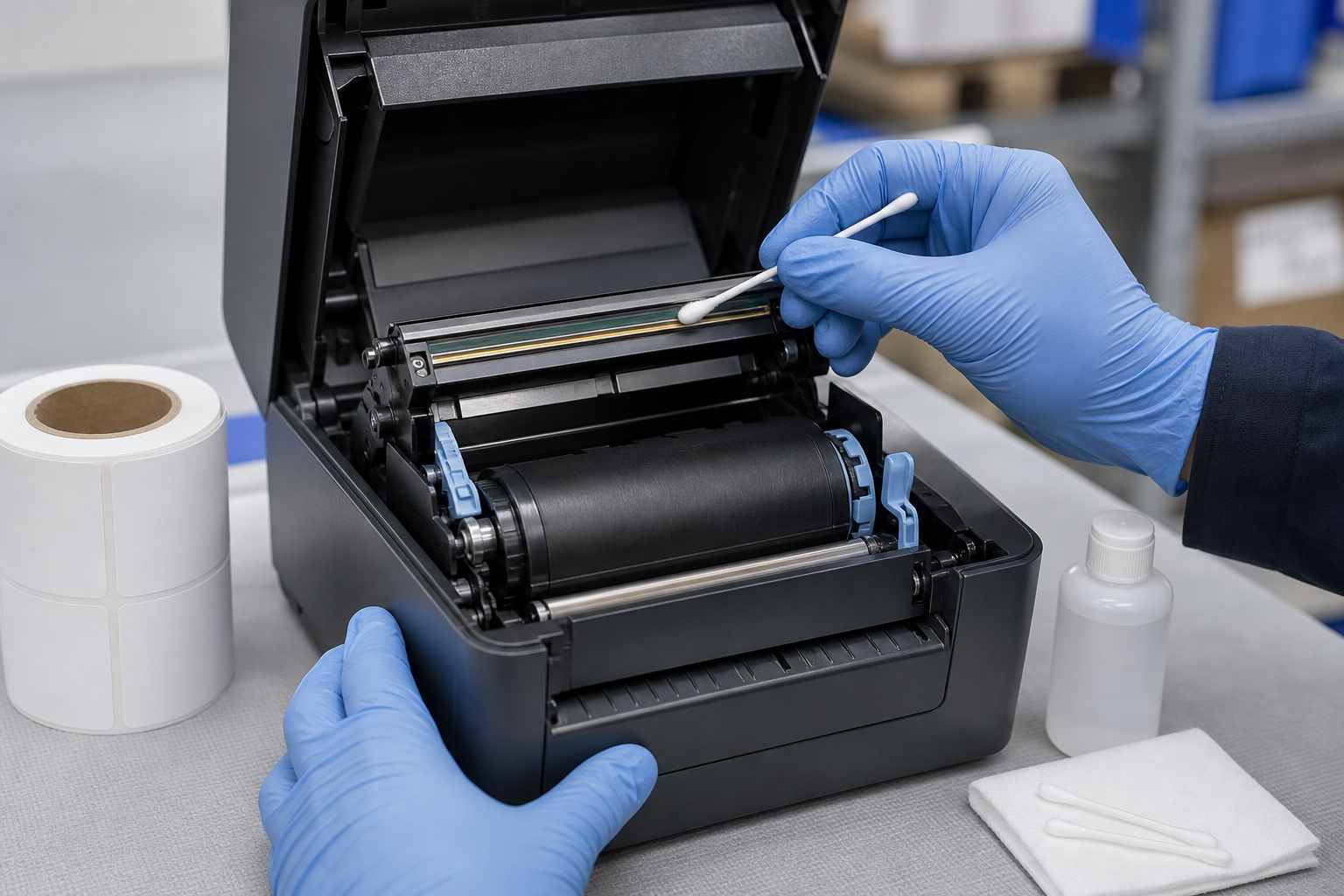
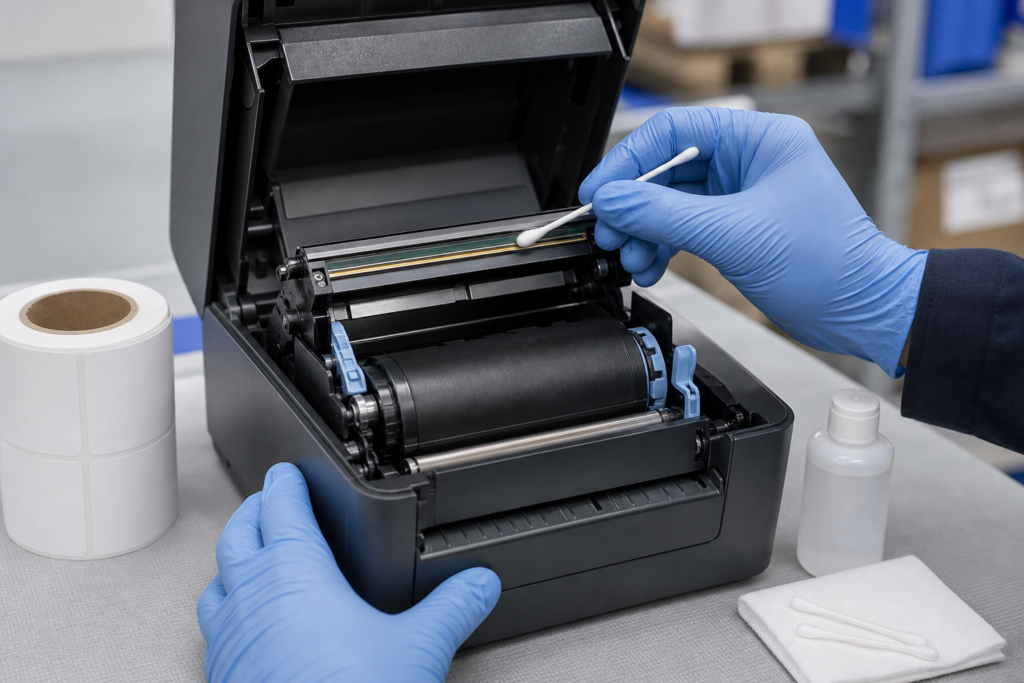
Clean a thermal printer printhead only with the printer powered off and cooled, using the material and cleaning fluid approved for that model. A common method is a lint-free swab lightly moistened with high-purity isopropyl alcohol, wiped gently along the print line, followed by complete air drying before the printer is closed and powered on.
Always give the manufacturer manual priority. Printheads are delicate, hot during operation, and vulnerable to scratches, static electricity, excessive liquid, and contamination from fingers.
When Does the Printhead Need Cleaning?
Clean it when print develops fixed vertical white lines, uneven density, adhesive or ribbon residue is visible, or after the media quantity recommended by the manufacturer. Also inspect it when changing from dusty paper, linerless stock, or a ribbon that has left residue.
A line that remains in exactly the same position after careful cleaning may be a failed heating element rather than dirt. Do not increase darkness repeatedly to compensate because excess heat can shorten printhead life.
What Supplies Should You Use?
Use approved high-purity isopropyl alcohol or the printer maker’s cleaning pen, card, or swab. Choose a clean, lint-free applicator that cannot scratch the ceramic surface. Follow the model instructions for fluid concentration and cleaning frequency.
Do not use metal tools, knives, abrasive pads, paper clips, household sprays, oily cleaners, or unapproved solvents. Do not pour liquid onto the printhead or into the printer.
How Do You Prepare the Printer Safely?
Cancel print jobs, switch off the printer, disconnect power if the manual directs it, and allow the printhead to cool. Remove jewelry that could strike components and reduce static risk according to workplace and manufacturer guidance.
Open the cover and remove labels and ribbon carefully. Note the media path so they can be reloaded correctly. Never touch the print line with bare fingers; skin oil attracts debris and can create uneven heating.
Where Is the Print Line?
The print line is the narrow row of heating elements that contacts the label or ribbon as it passes over the platen roller. Its appearance varies by printer, so identify it from the manual instead of cleaning every exposed surface as if it were the head.
Inspect under good light without scraping deposits. Adhesive buildup can sit near the print line or guides and transfer back onto it after cleaning.
What Is the Correct Cleaning Procedure?
- Power off the printer and let the head cool.
- Remove the media and ribbon as instructed.
- Lightly moisten an approved lint-free swab if a dry cleaning tool is not specified.
- Wipe gently along the print line from one side to the other.
- Use a fresh swab if residue remains; do not grind debris into the surface.
- Clean related approved areas separately.
- Allow every cleaned part to dry completely.
- Reload media, close the printer, and print a test.
One controlled cleaning is safer than repeated hard rubbing. If contamination cannot be removed with the approved method, arrange service.
Should You Clean the Platen Roller Too?
Yes, when the manual permits it. Dust, adhesive, and liner debris on the platen can cause slipping, poor contact, and repeating defects. Rotate the platen only in the approved manner and clean its full circumference without cutting or gouging the rubber.
The printhead and platen have different materials and replacement criteria. Use the specified method for each part rather than treating the whole media path with one solvent.
How Do You Clean Sensors and Guides?
Remove loose dust from sensors and guides using the method approved for the model, often a soft brush, approved swab, or controlled air source. Adhesive on guides can pull labels sideways or contaminate new rolls.
Do not blast debris deeper into the printer or bend a movable sensor. Reposition the sensor correctly after cleaning and recalibrate if the media type or sensor position changed.
How Long Should the Printer Dry?
Wait until all alcohol has evaporated and surfaces are visibly dry before loading media, closing the head, or applying power. The exact time depends on the amount used and ventilation; a lightly moistened swab should not leave pooled liquid.
Do not accelerate drying with excessive heat. If fluid entered an unintended area, leave the printer off and follow service guidance rather than testing it immediately.
What Test Should You Print?
Print the manufacturer’s configuration or quality pattern, then a small production sample containing text, horizontal and vertical lines, and the actual barcode. Compare the result with a known-good sample.
If the defect moved or disappeared, contamination was likely. If a thin blank line remains fixed, inspect for head damage. If the entire image is light, also verify darkness, speed, pressure, ribbon, and compatible thermal labels.
How Often Should You Clean the Printhead?
Use the interval specified for the printer and media, and clean sooner in dusty, high-volume, adhesive-heavy, or linerless applications. Many operations tie cleaning to a roll or ribbon change because it is easy to remember, but the manufacturer schedule remains the controlling rule.
Record the date, print count if available, symptoms, materials used, and result. A rising cleaning frequency can reveal poor media, exposed adhesive, worn rollers, or an environmental problem.
How Can You Reduce Future Buildup?
Store rolls sealed and clean, keep them off floors, and protect the printer from dust. Load labels without dragging edges across dirty surfaces. Use media with controlled adhesive, liner, and coating quality, and avoid operating at more heat than necessary.
Ask the label supplier about adhesive ooze, liner dust, coating consistency, and printer compatibility. Clean media, correct heat, and a documented maintenance routine protect print quality and extend component life.
When Should Cleaning Stop and Service Begin?
Stop if the printhead surface is chipped, cracked, deeply scratched, loose, or cannot be cleaned with the approved method. Also request service when a fixed blank line remains after cleaning, the head does not heat evenly, connectors appear damaged, or the platen no longer turns smoothly.
Provide the model, serial information, print count if available, media and ribbon specification, settings, defect samples, and maintenance history. Do not dismantle protected assemblies unless the manufacturer authorizes the procedure.